Blog

Blog

How Proper Bookkeeping Saves You Money During Tax Season

Tax season is one of the most stressful times of the year for business owners, especially when financial records are incomplete, disorganized, or filled with errors. Many entrepreneurs discover too late that missing receipts, misclassified expenses, and poor record-keeping cost them thousands of dollars in missed deductions, penalties, and overpaid taxes. The good news is that proper bookkeeping throughout the year can eliminate most of these problems and put real money back in your pocket. In this guide, you will learn exactly how accurate bookkeeping saves you money during tax season, the specific mistakes that lead to costly tax bills, and the systems you can put in place right now to protect your profits and reduce stress when it is time to file. Why Bookkeeping Matters More Than You Think Bookkeeping is not just about recording transactions or balancing accounts. It is the financial foundation of your entire business. When your books are accurate and up to date, you have a clear picture of your income, expenses, cash flow, and profitability at any given moment. This clarity allows you to make smarter business decisions, plan for growth, and avoid financial surprises. During tax season, proper bookkeeping becomes even more valuable. Your tax liability is directly tied to how well you track and categorize your business expenses. Every dollar you fail to document or every expense you misclassify is money left on the table. On the other hand, businesses with organized bookkeeping systems can maximize deductions, reduce taxable income, and file returns faster with fewer errors. How Poor Bookkeeping Costs You Money Before diving into the benefits of proper bookkeeping, it is important to understand how disorganized finances directly hurt your bottom line. Here are the most common ways poor bookkeeping leads to unnecessary tax expenses. Missed Deductions and Write-Offs One of the biggest financial losses comes from missed deductions. Business expenses like office supplies, software subscriptions, professional services, travel costs, marketing expenses, and equipment purchases are all deductible, but only if you have proper documentation. When receipts are lost or expenses are not recorded in real time, you lose the ability to claim these deductions, which means you pay taxes on income that should have been offset. Many small business owners also miss out on lesser-known deductions such as home office expenses, vehicle mileage, meal deductions for business meetings, and depreciation on assets. Without organized books, it is nearly impossible to identify and claim everything you are entitled to. Penalties and Interest from Errors Inaccurate bookkeeping often leads to errors on tax returns, which can trigger audits, penalties, and interest charges. Simple mistakes like transposing numbers, miscalculating totals, or failing to report all income can result in fines that add up quickly. The cost of fixing these errors, whether through amended returns or professional tax help, is almost always higher than the cost of maintaining accurate books in the first place. Overpaying Taxes Due to Poor Categorization Not all business expenses are created equal when it comes to tax treatment. Some expenses are fully deductible in the year they occur, while others must be capitalized and depreciated over time. If your bookkeeping does not properly categorize expenses, you may end up paying more taxes than necessary because your accountant cannot accurately calculate your deductions. For example, mixing personal and business expenses in the same accounts makes it difficult to prove what is deductible. Similarly, failing to separate cost of goods sold from operating expenses can distort your profit margins and tax calculations. How Proper Bookkeeping Saves You Money Now that you understand the risks of poor bookkeeping, let us explore the specific ways that organized, accurate financial records save you money during tax season and throughout the year. Maximizing Every Eligible Deduction When your bookkeeping is up to date and every transaction is properly documented, you can confidently claim every deduction you are entitled to. This includes obvious expenses like rent, utilities, and payroll, as well as smaller, easy-to-miss costs like bank fees, software subscriptions, professional development courses, and online advertising. Proper bookkeeping also makes it easier to track and claim mileage for business travel, meals with clients, and home office expenses if you work from home. These deductions can add up to thousands of dollars in tax savings, but only if you have accurate records to back them up. Avoiding Costly Mistakes and Audits Accurate bookkeeping significantly reduces the risk of errors on your tax return. When your income and expenses are recorded correctly throughout the year, your accountant or tax preparer has clean, reliable data to work with. This means fewer mistakes, less time spent correcting issues, and a much lower chance of triggering an audit. Even if you do get audited, having well-organized books makes the process far less stressful and expensive. You can quickly provide the documentation needed to support your deductions and income reports, which helps you avoid penalties and additional taxes. Reducing Accountant and Tax Prep Fees Accountants and tax preparers charge based on the complexity and condition of your financial records. If your books are messy, incomplete, or disorganized, your accountant will need to spend extra hours sorting through receipts, reconciling accounts, and fixing errors. This extra time translates directly into higher fees. On the other hand, if you hand over clean, categorized, and reconciled books, your accountant can file your taxes faster and more accurately. This not only saves you money on professional fees, but it also gives you peace of mind knowing your return is filed correctly the first time. Better Cash Flow Management Year-Round Proper bookkeeping does not just help during tax season. It also improves your cash flow management throughout the year. When you know exactly how much money is coming in and going out, you can make smarter decisions about spending, hiring, investing, and saving. This financial clarity helps you avoid cash shortages, plan for tax payments in advance, and reinvest profits strategically. Good bookkeeping also makes it easier to secure financing or attract investors, because lenders


Blog

5 Ad Funnel Ideas to Turn Cold Traffic into Loyal Customers

Most businesses waste ad spend by sending cold traffic straight to a “Contact Us” page or a generic homepage and then hoping someone converts. That approach usually leads to high bounce rates, low engagement, and very few qualified leads. A better strategy is to guide people step by step through a simple ad funnel that warms them up, builds trust, and then converts them with the right offer at the right time. In this guide, you will learn five ad funnel ideas you can start using immediately, even with a small budget. Each funnel is designed to move users from awareness to trust, then to conversion and loyalty, using clear stages and measurable goals. What Is An Ad Funnel? An ad funnel is a structured path that shows how a stranger becomes a paying, loyal customer through a series of planned touchpoints. Instead of depending on a single ad and a single click, you build a journey where people see awareness content, engage with helpful information, and then receive relevant offers when they are ready. A simple ad funnel typically moves through four stages: awareness, consideration, conversion, and loyalty. When your funnel is clear, you can create better ads, better landing pages, and better follow-up sequences that all work together to maximize return on investment. Funnel Idea 1: Educational Content To Lead Magnet To Consultation This first funnel works best for service businesses like web development, SEO, or bookkeeping that need to earn trust before someone gets in touch. The core idea is to educate first, capture leads second, and sell only after demonstrating expertise. Stage 1: Educational Awareness Ad Run ads that promote a high-quality, educational blog post or guide that solves a specific problem. For example, a post like “How a Conversion-Focused Website Can Double Your Leads” is perfect for cold traffic interested in business growth and online presence. The goal of this stage is not to sell immediately, but to attract the right audience and build authority. Stage 2: Lead Magnet Opt-In On that educational page, include a strong call-to-action offering a downloadable checklist, mini-guide, or template in exchange for an email address. This turns anonymous visitors into leads you can nurture with email sequences and retargeting ads. Make sure the lead magnet is closely related to the blog topic so that it feels like a natural next step. Stage 3: Consultation or Strategy Session Once someone has consumed your content and downloaded your resource, invite them to book a free strategy call or website audit. Your emails and remarketing ads should highlight the benefits of the call, such as uncovering missed opportunities or identifying quick wins. This final step converts the most engaged leads into real business conversations and long-term clients. Funnel Idea 2: Problem-Aware Ad To Case Study To Offer Many users already know they have a problem, but they are not sure who can solve it. This funnel positions your business as the proven solution by showing results before asking for a sale. It works especially well if you have strong success stories or measurable outcomes. Stage 1: Problem-Focused Ad Create ads that speak directly to the pain points your audience feels. For example, a headline like “Paying for Ads But Not Getting Leads?” will immediately catch the attention of frustrated business owners. The ad should click through to a landing page that addresses the same pain and promises a real solution. Stage 2: Case Study or Success Story On the landing page, showcase a brief case study that explains how you helped a past client go from their problem to a clear result. Focus on outcomes, such as “50% increase in qualified leads in 90 days” or “website conversion rate doubled after redesign.” This content builds credibility and shows that your methods work in the real world. Stage 3: Limited-Time Offer or Discovery Call After presenting the case study, invite visitors to take the next step through a limited-time offer or a no-obligation discovery call. You can offer a free mini-audit, a discounted first month, or a package designed for new clients. This structure helps cold prospects see that you understand their problem, have already solved it for others, and are ready to help them now. Funnel Idea 3: Video Ad To Remarketing Sequence To Core Offer Video is one of the most powerful ways to turn cold traffic into warm prospects quickly, because it builds familiarity and trust. This funnel uses a short explainer or story-based video to introduce your brand, then remarkets to those who watched with more focused offers. Stage 1: Short Authority-Building Video Run video ads that introduce your brand, share a quick tip, or explain a common mistake your audience is making. Aim for 30 to 60 seconds of content that immediately communicates who you help and how you help them. The main goal is to get people to watch and engage, not necessarily to click immediately. Stage 2: Remarketing to Engaged Viewers Create remarketing audiences from people who watched at least 50% or 75% of your video. These viewers are warmer than typical cold traffic because they already know your name, your face, and your core message. Show them a second round of ads that send them to a focused landing page, such as a specific service page or a lead magnet. Stage 3: Core Offer or Consultation Once viewers have seen your video and engaged with your follow-up ads, invite them to book a call or request a quote. At this stage, they are more likely to convert because they have seen your content multiple times and understand the value you provide. Video-plus-remarketing funnels can work very well for digital services, agency work, and consulting. Funnel Idea 4: Quick-Win Offer To Value Ladder Some cold traffic will respond to a low-risk, high-value offer even if they have never heard of you before. This funnel focuses on a small “quick win” service that is easy to say yes to, then uses that experience to build long-term

Blog

7 Signs Your Business Needs Back Office Support (Before It’s Too Late)

You started your business with a vision—to create something meaningful, solve a real problem, or build financial freedom. But somewhere along the way, that vision became buried under day-to-day tasks, long hours, and constant administrative pressure. If this sounds familiar, you’re not alone. Many business owners get so busy running the business that they stop growing the business.This is exactly where back office support becomes essential. Below are the 7 warning signs that your business needs back office support—before mistakes, burnout, and lost opportunities cost you more than hiring support ever will. What Is Back Office Support? Back office support includes all the operational work happening behind the scenes—tasks critical to your business, but not directly tied to sales. It includes: Bookkeeping & accounting Data entry & data management Administrative support HR & payroll processing Customer service operations Document management Inventory coordination IT & technical support Think of it as your operational engine. Your customers may never see it, but your business can’t run without it. 1. You’re Working 60+ Hours a Week but Revenue Isn’t Growing If you’re putting in long hours yet not seeing growth, the issue is often where your time is going, not how hard you’re working. Why it happens You’re spending too much time on tasks like: Processing invoices Checking spreadsheets Handling scheduling Responding to admin emails These tasks are essential—but they don’t increase revenue. The real financial cost If your expertise is worth $100/hour, but you’re spending 30 hours a week on admin tasks that could be outsourced for $10–$15/hour, you’re losing: $2,550 per week — more than $130,000 per year. Back office support gives you back your most valuable asset: time. 2. Important Tasks Keep Falling Through the Cracks When you’re juggling everything yourself, even important tasks start slipping. Common signs Late invoices Missed client follow-ups Slow response times Tax paperwork handled last minute Outdated reports Even one missed follow-up can mean losing a client. Back office support ensures nothing gets overlooked. 3. You’re Making Costly Mistakes Because You’re Overwhelmed Mistakes happen when you’re stretched thin—and in business, mistakes cost money. Common costly errors Incorrect invoices Misclassified expenses Payroll mistakes Late compliance filings Missing deductions One small bookkeeping error can lead to IRS penalties or thousands in lost deductions. Back office professionals use structured systems to minimize errors and protect your business. 4. Your Team Is Wasting Time on Admin Work It’s not just you—your team also suffers when there’s no operational support. What this causes Productivity drops Projects slow down Creativity declines Employees feel undervalued High turnover rates Your sales team should be selling. Your developers should be coding. Your managers should be leading—not drowning in paperwork. Back office support lets your team operate at full potential. 5. You Can’t Scale Because You’re Stuck in Operations Growth becomes impossible when all your time goes into maintaining daily tasks. The growth trap More clients → more paperworkMore employees → more HR workMore sales → more admin load If the backend can’t support growth, the business stays stuck—even if demand exists. Back office support gives your business the operational capacity to scale confidently. 6. Your Financial Records Are Always Behind A healthy business needs clear financial visibility. If your financials are messy or outdated, every decision becomes a guess. Warning signs Receipts everywhere Bank reconciliations months behind No real-time cash flow visibility Unexpected expenses Tax season panic Decisions made on intuition, not data Accurate financial management is critical for budgeting, forecasting, and long-term planning. 7. Customer Service Quality Is Declining Customer satisfaction directly impacts your revenue. When operations are stretched thin, customer experience suffers. Signs you may notice Delayed email responses Missed calls More complaints Less repeat business Lower satisfaction ratings Consumers today expect fast, professional communication. Back office customer support ensures they receive it—every time. The High Cost of Waiting Too Long Delaying operational support often leads to: Lost clients Compliance penalties Burnout across your team Stalled growth Reputation damage Back office support isn’t an expense—it’s a strategic investment that prevents much bigger losses. What Happens When You Have the Right Back Office Support Imagine this: Invoices go out automatically Books are up to date Customer inquiries receive fast responses Payroll runs smoothly Compliance documents are never late You finally have time to think, plan, and grow your business—not just keep it alive. Back Office Support by Buildora Infotech (US-Focused) At Buildora Infotech, we provide high-quality, scalable back office support tailored for U.S. businesses. Our services include: Bookkeeping & financial management Customer service staffing HR & payroll support Administrative virtual assistance Data entry & data management Document processing Full operational support teams You get a dedicated team that functions as an extension of your business—without the cost of full-time U.S. employees. Your Business Deserves a Stronger Operational Backbone You didn’t start your business to spend your days doing paperwork.You started it to innovate, grow, and create impact. These seven signs are not just warnings—they’re opportunities to make your business stronger. Ready to Take the Next Step? If you recognized three or more signs, your business is ready for professional back office support. 👉 Contact Buildora Infotech for a free consultation and discover how we can streamline your operations while reducing costs. Which sign resonates most with your current situation? Share your thoughts below!

Blog

Google Ads vs. Facebook Ads: Which Platform is Right for Your Business?

If you’re a business owner looking to grow your online presence, you’ve probably heard that paid advertising is the way to go. But here’s where it gets tricky: should you invest in Google Ads or Facebook Ads? Both platforms can deliver incredible results, but they work in fundamentally different ways. Choosing the wrong one could mean wasting thousands of dollars with little to show for it. Choosing the right one? That’s where the magic happens. In this guide, we’ll break down everything you need to know about Google Ads and Facebook Ads so you can make an informed decision that actually grows your business. Understanding the Fundamental Difference Before we dive into the details, let’s get one thing straight: Google Ads and Facebook Ads serve different purposes in your marketing strategy. Think of it this way: Google Ads is like setting up shop on the busiest street in town, right where people are actively looking for what you sell. Someone searches “plumber near me” at 2 AM with a burst pipe – your ad appears, and boom, you’ve got a customer. Facebook Ads is more like going to a networking event where you introduce your business to people who fit your ideal customer profile, even if they weren’t actively looking for you. They might not need you today, but when they do, guess who they’ll remember? Google captures demand. Facebook creates it. Google Ads: Capturing Active Intent How Google Ads Works Google Ads operates on a simple but powerful principle: people are searching for solutions, and your business can be the answer. When someone types “best running shoes for marathons” into Google, they’re showing clear buying intent. Google Ads lets you bid on these keywords so your business appears at the top of search results, marked with a small “Sponsored” label. The Benefits of Google Ads 1. High Purchase Intent People using Google are actively searching for solutions. They have a problem, and they want to solve it now. This makes Google Ads incredibly effective for capturing customers who are ready to buy. 2. Massive Reach Google processes over 8.5 billion searches per day. Whatever your niche, there are people searching for it right now. 3. Measurable ROI Google Ads provides detailed analytics showing exactly which keywords drive conversions, making it easier to optimize your campaigns and prove ROI. 4. Multiple Ad Formats Beyond search ads, Google offers Display Network ads, Shopping ads, YouTube ads, and more, giving you various ways to reach your audience. 5. Local Targeting For local businesses, Google Ads with location extensions can drive foot traffic to your physical store when people search nearby. The Challenges of Google Ads 1. Can Be Expensive Popular keywords in competitive industries (like insurance, legal services, or home services) can cost $50+ per click. If your conversion rate isn’t optimized, costs can spiral quickly. 2. Requires Keyword Research Success depends on choosing the right keywords. Too broad, and you’ll waste money on irrelevant clicks. Too specific, and you’ll get no traffic. 3. Steep Learning Curve Quality Score, bid strategies, negative keywords, ad extensions – Google Ads has a lot of moving parts that take time to master. 4. Limited Audience Discovery You can only reach people who are actively searching for keywords related to your business. You can’t introduce your product to new audiences who don’t know they need it yet. Facebook Ads: Building Awareness and Demand How Facebook Ads Works Facebook Ads (which includes Instagram, Messenger, and WhatsApp) operates on an interruption-based model. Instead of waiting for people to search for you, your ads appear in their feed as they scroll through social media. The real power of Facebook Ads lies in its targeting capabilities. You can reach people based on demographics, interests, behaviors, life events, and even create lookalike audiences based on your existing customers. The Benefits of Facebook Ads 1. Incredible Targeting Options Want to reach 35-year-old women in Mumbai who are interested in yoga, recently got engaged, and earn above ₹10 lakhs per year? Facebook can do that. The targeting precision is unmatched. 2. Visual Storytelling Facebook Ads are highly visual, allowing you to showcase your products, tell your brand story, and create emotional connections through images and video. 3. Lower Cost Per Click Generally, Facebook Ads have a lower CPC than Google Ads, making it more accessible for businesses with smaller budgets. 4. Retargeting Capabilities Facebook’s Pixel tracking lets you retarget website visitors, people who engaged with your content, or even customers who abandoned their shopping carts. 5. Building Brand Awareness Facebook excels at introducing your brand to new audiences and keeping you top-of-mind through repeated exposure. 6. Social Proof When people see their friends liking or commenting on your ads, it builds trust and credibility in ways Google Ads simply cannot. The Challenges of Facebook Ads 1. Lower Purchase Intent People aren’t on Facebook to shop – they’re there to connect with friends, watch videos, and scroll mindlessly. Converting them requires more touchpoints. 2. Ad Fatigue Your audience can see your ads multiple times, leading to declining performance if you don’t regularly refresh your creative. 3. Privacy Changes Impact Tracking Recent iOS updates have made tracking and attribution more challenging, affecting your ability to measure true ROI. 4. Longer Sales Cycles Since people aren’t actively searching for solutions, it often takes multiple exposures before someone converts. Which Platform Should You Choose? Here’s the honest answer: it depends on your business, goals, and budget. Let’s break it down: Choose Google Ads If: You offer services people actively search for (plumbers, lawyers, emergency services) You have a clear understanding of what keywords your customers use You need immediate results and quick conversions Your products solve urgent, specific problems You’re in a competitive industry where being found first matters You have a decent budget to compete for high-intent keywords Best for: Service-based businesses, B2B companies, high-consideration purchases, local businesses, emergency services Choose Facebook Ads If: You’re selling products that people discover rather than actively search for

Staffing
Blog

Hiring Headache Solved: The Strategic Advantages of Contract Staffing for Rapid Business Growth

Today’s businesses face unprecedented challenges in talent acquisition, with hiring processes stretching up to 11 weeks on average while project deadlines refuse to wait. Contract staffing emerges as the strategic solution that transforms these hiring headaches into competitive advantages, enabling companies to access specialized talent within days rather than months.​ The contract staffing market has experienced remarkable expansion, with 2.5 million temporary and contract employees working for American staffing companies during an average week in 2023. This growth reflects a fundamental shift in how forward-thinking organizations approach workforce management, moving from rigid hiring models to flexible, strategic talent acquisition.​ The Modern Hiring Challenge: Why Traditional Methods Fall Short Traditional Hiring Limitations Conventional hiring processes create bottlenecks that stifle business growth. Companies often spend 3-4 months searching for permanent employees while critical projects remain stalled, creating opportunity costs that far exceed the savings from lower hourly rates. These delays become particularly damaging in technology-driven industries where market windows close rapidly.​ The financial burden extends beyond time delays. Traditional full-time hiring requires comprehensive benefits packages, office space allocation, equipment provisioning, and long-term training investments that can cost organizations 20-30% more than anticipated. These fixed costs create inflexibility that constrains business agility during market fluctuations.​ Skills Gap and Specialization Challenges Modern projects often require highly specialized expertise that internal teams may lack. The Society for Human Resource Management reports that 69% of organizations experienced talent shortages in 2020, making access to niche skills increasingly critical for competitive positioning. Contract staffing solves this challenge by providing immediate access to pre-vetted specialists without long-term commitments.​ Strategic Contract Staffing Advantages for Business Growth Rapid Talent Deployment and Project Acceleration Contract staffing transforms hiring timelines from months to days, enabling businesses to capitalize on market opportunities immediately. Professional staffing providers maintain pools of pre-screened candidates who can begin contributing within a week of engagement, dramatically accelerating project timelines and revenue generation.​ One fintech client needed a senior Ruby developer with specific financial systems experience and chose contract staffing over traditional hiring, starting their project six weeks ahead of schedule and gaining significant market advantage. This speed-to-market benefit often generates returns that justify the entire staffing investment.​ Cost Efficiency Without Compromise The financial advantages of strategic contract staffing extend far beyond hourly rate comparisons. Companies save 20-30% on labor costs by eliminating benefits overhead, payroll taxes, training expenses, and infrastructure requirements. These savings compound over time, allowing organizations to allocate resources toward revenue-generating activities.​ Comprehensive Cost Analysis: Direct Savings: No health insurance, retirement plans, or paid leave expenses​ Infrastructure Reduction: Minimal office space and equipment requirements​ Training Elimination: Specialists arrive ready to contribute immediately​ Reduced Administrative Burden: Streamlined payroll and benefits management​ Access to Premium Talent Networks Contract staffing provides access to global talent pools that often exceed the quality available through traditional hiring channels. Many top specialists prefer contract arrangements for the flexibility and higher compensation they offer, creating talent networks that permanent hiring rarely reaches.​ Buildora Infotech’s temporary and contract staffing solutions exemplify this approach, connecting businesses with skilled professionals who deliver exceptional results for short-term projects and specialized initiatives.​ Flexibility and Scalability for Dynamic Markets Workforce Elasticity for Demand Fluctuations Contract staffing enables businesses to scale their workforce dynamically based on actual project demands rather than projected needs. This elasticity proves invaluable during seasonal variations, unexpected market opportunities, or economic uncertainties where traditional staffing models create financial risk.​ Companies can assemble specialized teams quickly during growth phases and scale back without layoff complications during quieter periods. This flexibility allows organizations to maintain lean permanent staff while accessing specialized expertise precisely when needed.​ Risk Mitigation Through Trial Periods Contract-to-hire arrangements provide excellent risk mitigation by allowing organizations to evaluate candidates in real working environments before making permanent commitments. This “try before you buy” approach dramatically reduces hiring mistakes and cultural mismatches that can cost organizations significant time and resources.​ Staffing agencies employ rigorous screening processes, conducting comprehensive background checks and skills verification that often exceed what individual companies can practically implement. This pre-qualification reduces onboarding risks while ensuring only qualified candidates reach client organizations.​ Strategic Project Management Contract staffing aligns perfectly with project-based business models, allowing companies to bring in specialists for specific initiatives without long-term obligations. This approach enables organizations to pursue ambitious projects that would be impractical with permanent staff constraints.​ Technology companies particularly benefit from this model, accessing specialized skills for product launches, system implementations, or digital transformations without permanently expanding their workforce.​ Industry-Specific Applications and Success Stories Technology and Digital Transformation The technology sector leads contract staffing adoption, with companies leveraging specialized contractors for software development, cybersecurity implementation, and digital transformation initiatives. These projects often require cutting-edge expertise that permanent staff may not possess, making contract specialists essential for competitive positioning.​ Healthcare and Life Sciences Healthcare organizations increasingly use contract staffing for specialized projects including regulatory compliance, system implementations, and research initiatives. The industry’s rapid evolution and complex regulatory environment make flexible staffing arrangements particularly valuable.​ Finance and Professional Services Financial services firms leverage contract staffing for mergers and acquisitions, audit support, regulatory compliance, and financial system implementations. These projects often require specific expertise and tight deadlines that contract specialists can deliver effectively.​ Implementation Best Practices for Maximum ROI Partner Selection and Relationship Management Successful contract staffing requires careful partner selection based on industry expertise, candidate quality, and service level commitments. Organizations should evaluate potential providers based on their screening processes, candidate networks, and track record with similar businesses.​ Leading providers offer transparent reporting, performance guarantees through service level agreements, and ongoing relationship management that ensures continuous value delivery. The most effective partnerships treat staffing agencies as strategic allies rather than transactional vendors.​ Integration and Management Strategies Effective contract staff integration requires clear onboarding processes, defined project objectives, and regular performance monitoring. Organizations should establish communication protocols, provide necessary resources, and create feedback mechanisms that ensure project success.​ Professional staffing services like those offered by Buildora Infotech provide comprehensive support throughout the engagement, including candidate matching, contract management, and ongoing performance optimization.​ Compliance and Legal Considerations Contract staffing

Google’s AI Overviews
Blog

Google’s AI Overviews: 5 Key Adjustments to Your SEO Content Strategy for GEO

The search landscape has fundamentally shifted. Google’s AI Overviews, previously known as Search Generative Experience (SGE), now appear for over 15% of all searches, fundamentally changing how users interact with search results. These AI-generated summaries appear at the top of search results, synthesizing information from multiple sources before users ever see traditional organic listings. For businesses invested in SEO and content marketing, this represents both a challenge and an opportunity. The traditional approach of ranking number one for your target keywords no longer guarantees the same traffic and visibility it once did. However, companies that adapt their content strategy for this AI-driven environment can actually increase their visibility and authority. Understanding how to optimize for Google’s AI Overviews—often called Generative Engine Optimization (GEO)—is now essential for maintaining search visibility. Let’s explore five critical adjustments you need to make to your SEO content strategy. 1. Prioritize Comprehensive, Authoritative Content Over Keyword Density Traditional SEO focused heavily on keyword optimization, density, and placement. While keywords remain important, AI Overviews prioritize content depth, accuracy, and authority above keyword manipulation tactics. Why This Matters Google’s AI algorithms analyze content semantically, understanding context, relationships between concepts, and overall expertise demonstrated in your content. The AI doesn’t just look for keyword matches—it evaluates whether your content genuinely answers user questions with accuracy and depth. How to Adjust Your Strategy Shift from creating multiple thin content pieces targeting specific keywords to developing comprehensive resources that cover topics exhaustively. Instead of publishing five 500-word blog posts about related topics, create one authoritative 2,500-word guide that addresses the entire subject matter. According to Search Engine Journal, content that demonstrates clear expertise, experience, authority, and trustworthiness (E-E-A-T) has significantly higher chances of being cited in AI Overviews. This means investing in subject matter expertise and thorough research rather than content volume alone. Focus on creating content that: Answers questions comprehensively, not partially Includes data, statistics, and specific examples Demonstrates real-world expertise and experience Connects related concepts to provide complete understanding Updates regularly to maintain accuracy Professional SEO and online marketing services can help you transition from keyword-focused content to authority-building resources that perform well in AI-driven search environments. 2. Structure Content for AI Parsing with Clear Hierarchies and Schema AI Overviews extract information from web pages and synthesize it into concise summaries. The easier you make it for AI to understand and extract your content, the more likely you’ll be cited as a source. The Technical Foundation Content structure has always mattered for SEO, but it’s now critical for GEO. AI algorithms rely on clear hierarchies, semantic HTML, and structured data to understand your content quickly and accurately. Implementation Steps Use proper header hierarchies (H1, H2, H3) that create logical content outlines. Your headers should communicate clear information architecture that both humans and AI can follow intuitively. Implement comprehensive schema markup for your content. Article schema, FAQ schema, How-To schema, and other structured data formats help Google’s AI understand exactly what information your content contains and how it’s organized. Create content sections that directly answer specific questions. Use the inverted pyramid approach—put the most important information first, followed by supporting details. This aligns with how AI Overviews extract and present information. Format content for easy scanning with: Descriptive subheadings that summarize section content Bullet points for lists and key takeaways Tables for comparative information Clear, concise paragraphs (2-4 sentences) Bold text for emphasis on critical terms According to Wikipedia’s guidelines on information architecture, well-structured content improves both human comprehension and machine readability—a dual benefit crucial for modern SEO. 3. Focus on Conversational, Question-Based Content AI Overviews primarily appear for informational and question-based searches. Users asking “how,” “what,” “why,” “when,” and “where” questions are most likely to see AI-generated summaries. Understanding Search Intent Evolution Voice search and conversational AI assistants have trained users to phrase searches as natural questions. Google’s AI Overviews reflect this shift, presenting answers in conversational formats that directly address user queries. Strategic Content Adjustments Research and target question-based keywords that align with your expertise. Tools like AnswerThePublic, Google’s “People Also Ask” boxes, and keyword research platforms reveal the exact questions your audience asks. Structure blog posts and articles around specific questions. Instead of generic titles like “Email Marketing Guide,” use question-based titles like “How Can B2B Companies Improve Email Marketing ROI?” This aligns your content directly with how users search and how AI Overviews present information. Create FAQ sections within longer content pieces. These sections serve dual purposes—they directly answer common questions for users while providing perfect content chunks for AI to extract and cite. Write in natural, conversational language rather than overly formal or technical prose. While maintaining professionalism, use the same language your customers use when discussing your topics. This improves both user engagement and AI understanding. Include variations of questions throughout your content. Users might ask the same question in different ways, and addressing multiple phrasings increases the chances your content will be selected for AI Overviews. 4. Build Topic Clusters with Strong Internal Linking AI algorithms evaluate content within the broader context of your entire website. Creating interconnected topic clusters signals expertise and authority on specific subjects, increasing the likelihood that Google’s AI will view your site as a primary source. The Topic Cluster Model Instead of publishing isolated blog posts on random topics, organize your content into thematic clusters. Each cluster consists of a comprehensive pillar page covering a broad topic, supported by multiple cluster pages that dive deep into specific subtopics. Creating Effective Clusters Identify 3-5 core topics central to your business expertise. These become your pillar topics. For example, a digital marketing agency might choose “SEO Strategy,” “Content Marketing,” “Social Media Advertising,” and “Web Design.” Create authoritative pillar pages for each core topic. These comprehensive resources should cover the topic broadly, linking out to more detailed cluster content. Aim for 3,000-5,000 words that establish you as the definitive resource. Develop 8-12 cluster pages for each pillar topic. These dive deep into specific aspects, use cases, techniques, or subtopics. Each

Back Office Operations
Blog

The Financial Impact of Outsourcing Back Office Operations: A Proven ROI Breakdown

Back office operations are the backbone of every successful business, yet they rarely generate direct revenue. Functions like bookkeeping, data entry, payroll processing, and administrative support consume significant resources while pulling focus from your core business activities. For growing companies, the financial impact of outsourcing back office operations can be transformative, delivering measurable returns that extend far beyond simple cost savings. Understanding the true ROI of back office outsourcing requires looking beyond surface-level price comparisons. Let’s break down the real numbers and explore how strategic outsourcing creates value across multiple dimensions of your business. The True Cost of In-House Back Office Operations Before calculating ROI, you need to understand what you’re currently spending. Most businesses significantly underestimate the total cost of maintaining in-house back office functions. Direct Labor Costs The average back office employee in India earns between ₹3-6 lakhs annually, depending on experience and location. However, salary represents only a portion of total employment costs. Factor in statutory benefits like EPF, ESI, gratuity, and paid leave, and your actual cost per employee increases by 25-40%. Infrastructure and Technology Office space, equipment, software licenses, and utilities add substantial overhead. According to Statista, commercial office space in tier-1 Indian cities costs ₹50-150 per square foot monthly. A small back office team requires dedicated workspace, computers, accounting software, security systems, and reliable internet connectivity. Training and Development Employee onboarding, ongoing training, and skill development consume both time and money. Industry research suggests training costs average 10-20% of annual salary per employee. Additionally, productivity during the learning curve period represents hidden costs that many businesses overlook. Management Overhead Back office teams require supervision, performance management, and HR support. When you assign managers to oversee administrative functions, you’re diverting leadership capacity from strategic initiatives that could drive growth. Quantifying the Financial Benefits of Outsourcing Now let’s examine the concrete financial advantages of outsourcing your back office operations. Immediate Cost Reduction: 30-50% The most obvious benefit is direct cost savings. Outsourcing typically reduces back office expenses by 30-50% compared to maintaining in-house teams. This comes from economies of scale—professional service providers spread infrastructure costs across multiple clients while operating in cost-optimized locations. For example, if your current back office operation costs ₹40 lakhs annually, outsourcing could reduce this to ₹20-28 lakhs, generating immediate savings of ₹12-20 lakhs per year. Elimination of Recruitment Costs Hiring specialized back office staff is expensive and time-consuming. Recruitment agency fees typically range from 8-15% of annual salary, and the hiring process itself consumes valuable management time. When an employee leaves, you face these costs again plus the productivity loss during vacancy periods. Outsourcing eliminates recruitment cycles entirely. Your service provider handles talent acquisition, ensuring continuous coverage without hiring headaches. Technology Cost Avoidance Modern back office operations require sophisticated software for accounting, HR management, project tracking, and data analytics. Enterprise software licenses can cost ₹50,000-5 lakhs annually depending on your needs. Outsourcing partners maintain cutting-edge technology as part of their service, eliminating these capital expenditures from your budget. Scalability Without Fixed Costs Growing your in-house team means increasing fixed costs that persist regardless of business fluctuations. Outsourcing converts these fixed expenses into variable costs that scale with your actual needs. During peak periods, your outsourcing partner provides additional capacity. During slower months, you pay only for the services you use. This flexibility is particularly valuable for seasonal businesses or companies experiencing rapid growth. You gain agility without the financial risk of permanent hiring decisions. Beyond Direct Savings: Strategic Financial Value The most significant ROI from back office outsourcing often comes from indirect benefits that improve your overall financial performance. Revenue Focus and Growth Acceleration When leadership spends less time managing administrative functions, they can focus on revenue-generating activities. This opportunity cost is difficult to quantify but often represents the largest financial impact. If your CEO spends 15 hours weekly on back office issues at an effective hourly rate of ₹5,000, that’s ₹3.9 lakhs monthly in diverted leadership capacity—₹46.8 lakhs annually. Redirecting this time toward sales, strategy, and business development can generate returns far exceeding direct outsourcing savings. Professional back office support services enable this strategic refocusing by taking full operational responsibility. Reduced Error Costs Back office mistakes carry real financial consequences. Accounting errors can trigger tax penalties, payroll mistakes damage employee morale, and data entry problems create costly downstream issues. According to the American Productivity & Quality Center, administrative errors cost businesses 1-5% of revenue annually. Specialized outsourcing firms implement quality control processes that dramatically reduce error rates. The financial value of improved accuracy—avoiding penalties, preventing rework, and maintaining compliance—adds substantially to outsourcing ROI. Faster Decision-Making Through Better Data Professional back office providers deliver timely, accurate reporting that enables faster, better-informed business decisions. When you receive financial reports promptly, you can identify problems earlier and capitalize on opportunities faster. This improved decision velocity translates directly into better financial outcomes. Risk Mitigation and Compliance Regulatory compliance grows increasingly complex across accounting, taxation, labor laws, and data privacy. Non-compliance carries severe financial penalties. Outsourcing to specialists who maintain deep expertise in regulatory requirements protects you from costly violations while eliminating the need to develop this expertise internally. Real-World ROI Example: A Growing Manufacturing Company Consider a mid-sized manufacturing company with ₹10 crore annual revenue. Their in-house back office operation includes: 5 administrative staff (₹30 lakhs total annual cost) Office space and equipment (₹8 lakhs annually) Software licenses (₹3 lakhs annually) Management time (estimated ₹12 lakhs in opportunity cost) Total annual cost: ₹53 lakhs After outsourcing back office operations to a comprehensive service provider, their costs restructured as: Outsourcing service fees (₹28 lakhs annually) Minimal internal coordination (₹2 lakhs) Total annual cost: ₹30 lakhs Direct savings: ₹23 lakhs (43% reduction) Additionally, freed management capacity enabled the company to pursue two new client relationships worth ₹1.5 crore in additional revenue. With 15% net margin, this generated ₹22.5 lakhs in additional profit. Total first-year financial impact: ₹45.5 lakhs ROI: 162% in year one Calculating Your Personal ROI To determine the potential ROI for your specific

web development
Blog

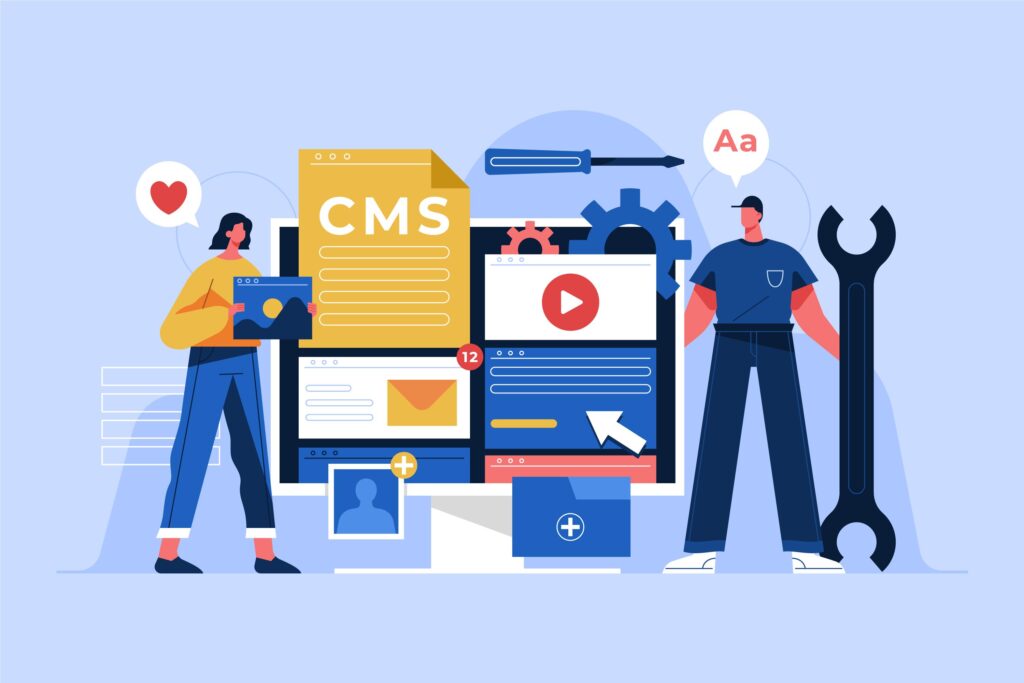
Custom vs. WordPress: A B2B Guide to Choosing Your Next CMS Platform

Choosing the right Content Management System (CMS) is one of the most critical decisions your B2B company will make. The platform you select will impact everything from your marketing efficiency to customer experience and operational costs. With WordPress powering over 40% of all websites globally and custom solutions gaining traction among enterprise businesses, the question remains: which path is right for your organization? Understanding Your CMS Options Before diving into comparisons, let’s clarify what we’re discussing. WordPress is an open-source CMS that offers flexibility through themes and plugins, while custom CMS solutions are built from scratch to meet specific business requirements. Both have their place in the B2B landscape, but the right choice depends on your unique circumstances. WordPress: The Established Leader WordPress has evolved far beyond its blogging roots to become a robust enterprise solution. For B2B companies, WordPress offers several compelling advantages. Cost-Effectiveness and Speed to Market WordPress allows businesses to launch professional websites quickly and affordably. The platform’s extensive ecosystem of themes and plugins means you can add functionality without writing code. For mid-sized B2B companies working with limited budgets, this represents significant value. Professional website development services can customize WordPress to match your brand identity while keeping costs predictable. Proven Scalability Major enterprises including Sony, TechCrunch, and The New York Times rely on WordPress, proving its ability to handle high traffic and complex content structures. The platform’s caching capabilities, CDN integration, and managed hosting options ensure your site performs well as your business grows. SEO-Friendly Architecture WordPress is built with search engine optimization in mind. Clean code structure, mobile responsiveness, and plugins like Yoast SEO give B2B marketers powerful tools to improve visibility. According to W3Techs, WordPress’s market dominance partially stems from its SEO capabilities, which are crucial for B2B lead generation. Community and Support With millions of developers worldwide, WordPress offers unmatched community support. Security updates, bug fixes, and feature enhancements happen regularly. Finding qualified developers for maintenance and upgrades is straightforward and cost-effective. Custom CMS: Built for Unique Requirements Custom CMS platforms are developed specifically for your business processes, offering capabilities that off-the-shelf solutions cannot match. Complete Control and Flexibility A custom CMS gives you absolute control over every feature and function. If your B2B business has unique workflows, integrations, or data handling requirements, custom development ensures the platform works exactly as you need it to. This is particularly valuable for industries with strict compliance requirements or complex multi-stakeholder processes. Enhanced Security Custom solutions can be more secure than popular platforms simply because they’re not common targets. While WordPress security is robust when properly maintained, its popularity makes it a frequent target for attackers. A custom CMS with security built into its architecture from day one can provide additional peace of mind for B2B companies handling sensitive information. Performance Optimization Custom platforms contain only the code you need, eliminating the bloat that sometimes affects WordPress sites with numerous plugins. This streamlined approach can result in faster load times and better performance, especially for complex B2B applications. Long-Term Scalability While WordPress scales well, custom solutions can be architected specifically for your anticipated growth trajectory. If you’re planning significant expansion or know you’ll need specific capabilities in the future, building them into your foundation makes sense. The Real Cost Comparison Budget considerations go beyond initial development costs. WordPress sites typically cost $5,000 to $50,000 for professional B2B implementations, with ongoing maintenance ranging from $500 to $2,000 monthly. Custom CMS platforms start around $50,000 and can exceed $200,000 for enterprise solutions, with maintenance costs varying based on complexity. However, cost analysis must include opportunity costs. A faster time-to-market with WordPress could mean earlier revenue generation. Conversely, a custom solution might reduce long-term operational expenses by automating complex workflows that would require multiple WordPress plugins. Making Your Decision: Key Questions To determine the right CMS for your B2B organization, consider these critical questions: How unique are your requirements? If your content management needs are relatively standard—publishing blog posts, managing product pages, and collecting leads—WordPress excels. If you need highly specialized functionality that doesn’t exist in the plugin ecosystem, custom development makes sense. What’s your timeline? WordPress sites can launch in weeks, while custom platforms require months of development. Can your business wait, or do you need to establish your online presence quickly? What’s your technical capacity? Do you have in-house developers who can maintain a custom system, or will you rely on external partners? WordPress’s large talent pool makes finding support easier and more affordable. How will you integrate with existing systems? Both WordPress and custom solutions can integrate with CRM platforms, marketing automation tools, and other business systems. However, the complexity and cost of these integrations vary significantly. The Hybrid Approach: Best of Both Worlds Many B2B companies find success with a hybrid strategy. They use WordPress as their primary CMS while developing custom plugins or integrations for specialized functionality. This approach provides WordPress’s ecosystem advantages while addressing unique business requirements through targeted custom development. Professional development teams like those specializing in digital marketing and technology solutions can help you assess whether a hybrid approach makes sense for your organization. Conclusion: Align Technology with Business Goals There’s no universally correct answer to the custom vs. WordPress question. Your choice should align with your business objectives, budget, timeline, and technical requirements. For most B2B companies, especially those in growth phases or with standard content management needs, WordPress offers an excellent balance of functionality, cost-effectiveness, and speed to market. Companies with highly specialized requirements, complex workflows, or significant development resources may find custom solutions more appropriate. The key is making an informed decision based on your specific circumstances rather than following trends or assumptions. Consult with experienced development professionals, clearly define your requirements, and choose the platform that best supports your long-term business success. Ready to make the right CMS choice for your B2B business? Contact our team to discuss your requirements and explore which solution aligns with your goals.

Scroll to Top